Marketing Automation
July 2 2026


If your Braze team is writing every conceivable data point to user profiles, it might be time to rethink your approach.
Not that there’s anything wrong with adding attributes to users—that would be ridiculous. But there’s data that should never live in a Braze profile, and most teams do it anyway because they don’t know there’s an alternative.
That alternative is “zero-copy personalization.” I’ll explain what it is, when to use it, and how it actually changes the way your team works when you implement it.
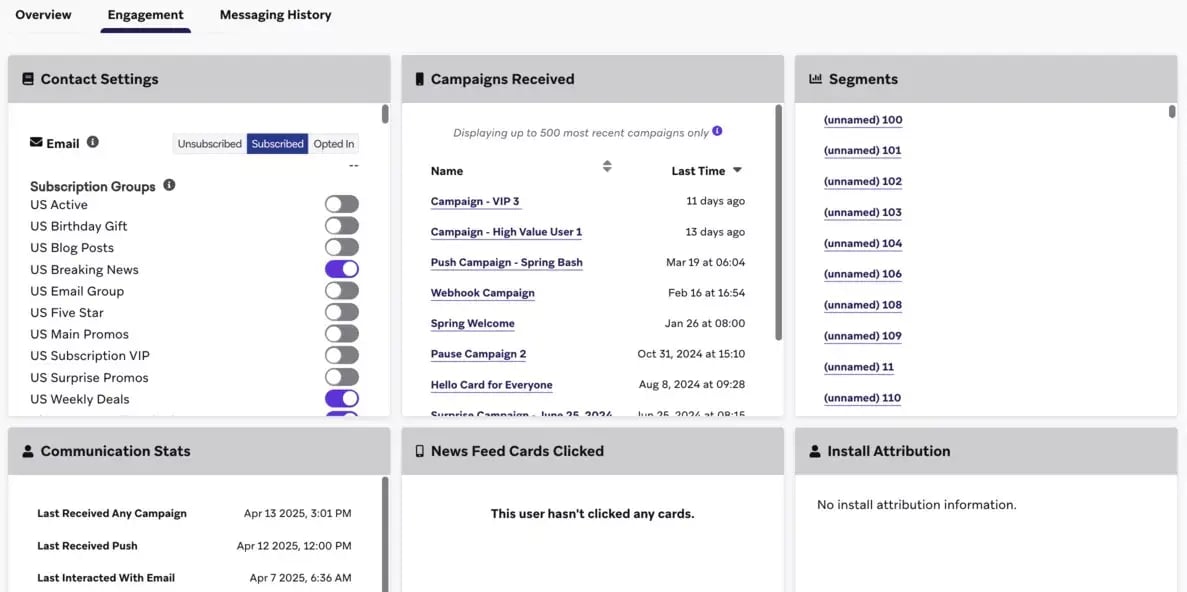
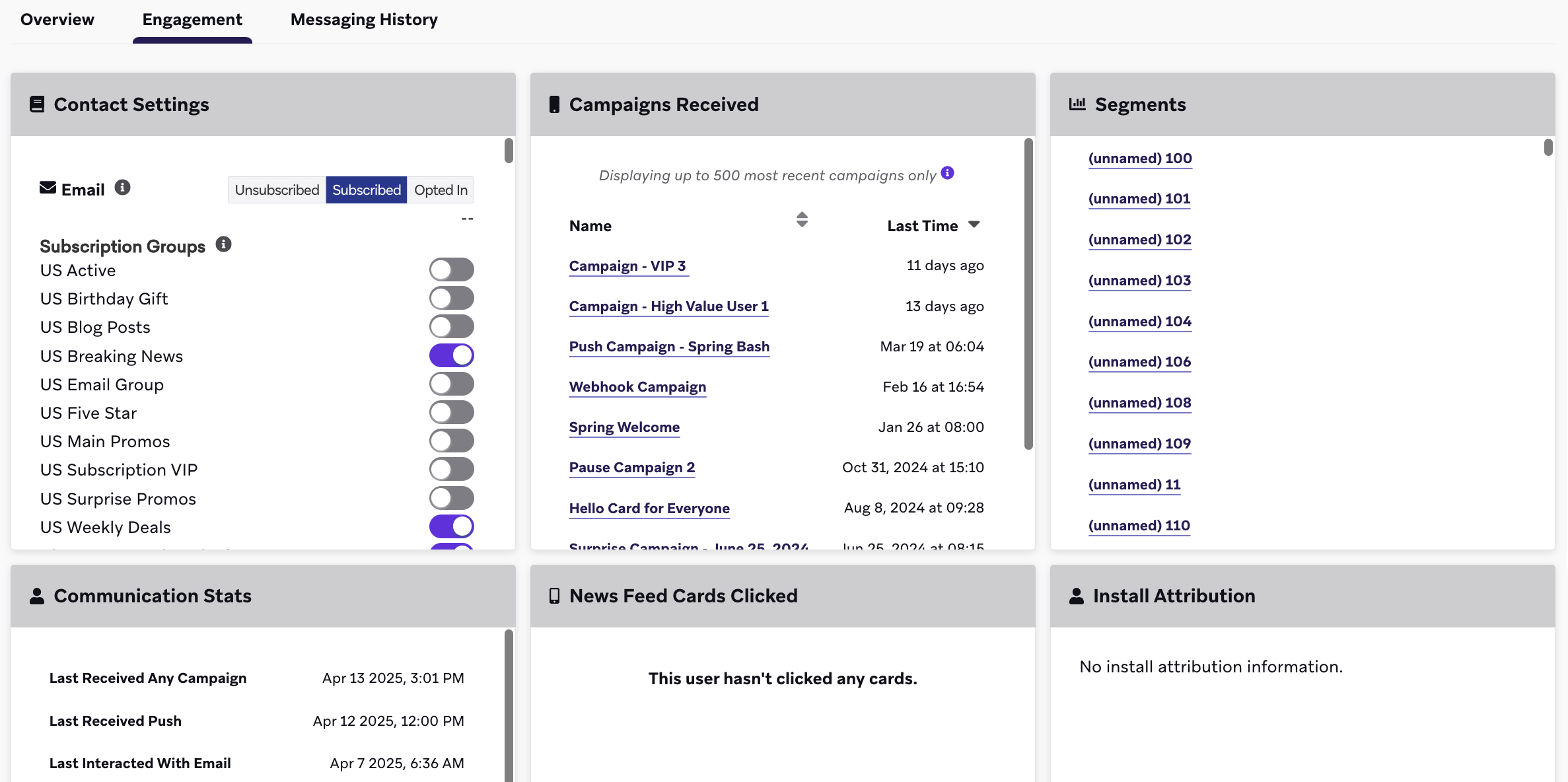
Example of a user profile in Braze. (Braze, 2026)
In Braze, it usually looks like this: data is synced from your data warehouse to user profiles as attributes, which are then used for segmentation and personalization. For many use cases, this is the right approach.
The problem is that some teams reflexively write everything to user profiles, even for data that is:
Temporary. Shopping carts, current prices, inventory status—all of these can change between the sync and the campaign. A sync that ran 20 minutes ago is not the same as what’s currently live in your data warehouse.
Sensitive. Financial information, health-related attributes, or other sensitive or restricted data is written to user profiles even though it might only have been needed for a single campaign.
Expensive. Almost every attribute written to a Braze profile consumes Data Points. With large-scale personalization involving many fields per user, this quickly becomes expensive.
Difficult to clean up. Over time, user profiles accumulate more and more data, and cleaning up old attributes often falls through the cracks.
The result is severely bloated profiles and a Braze workspace that contains more than it needs to. It becomes partially outdated and costs more and more to maintain.
The solution is not to save everything.
The term “zero-copy” refers to data being retrieved in real time from one source and used in another location without being copied, recreated, or moved to another system.
Zero-copy in Braze isn’t a single feature—it consists of two components that can be used together or separately.
Connected Sources for Segmentation
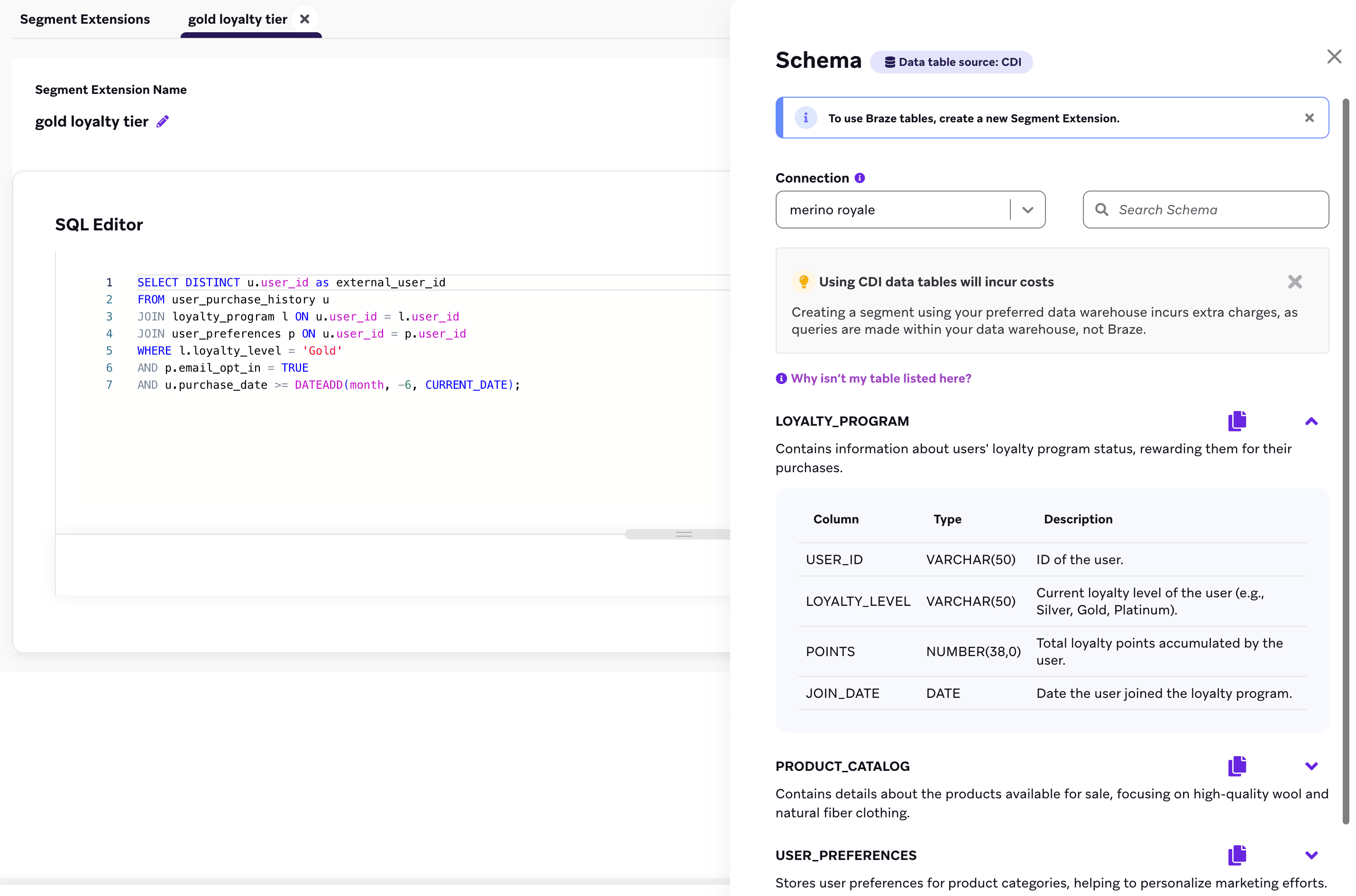
Connected Sources allows Braze to run SQL directly against your data warehouse to create segments, known as CDI Segment Extensions. Only matching user IDs are transferred to Braze. The underlying data—the attributes, table rows, and values that determined the match—never leaves the data warehouse.
This is the original zero-copy pattern, and it addresses the segmentation aspect of the problem. You define the SQL, Braze executes it, and your segment is kept up to date without consuming data points.
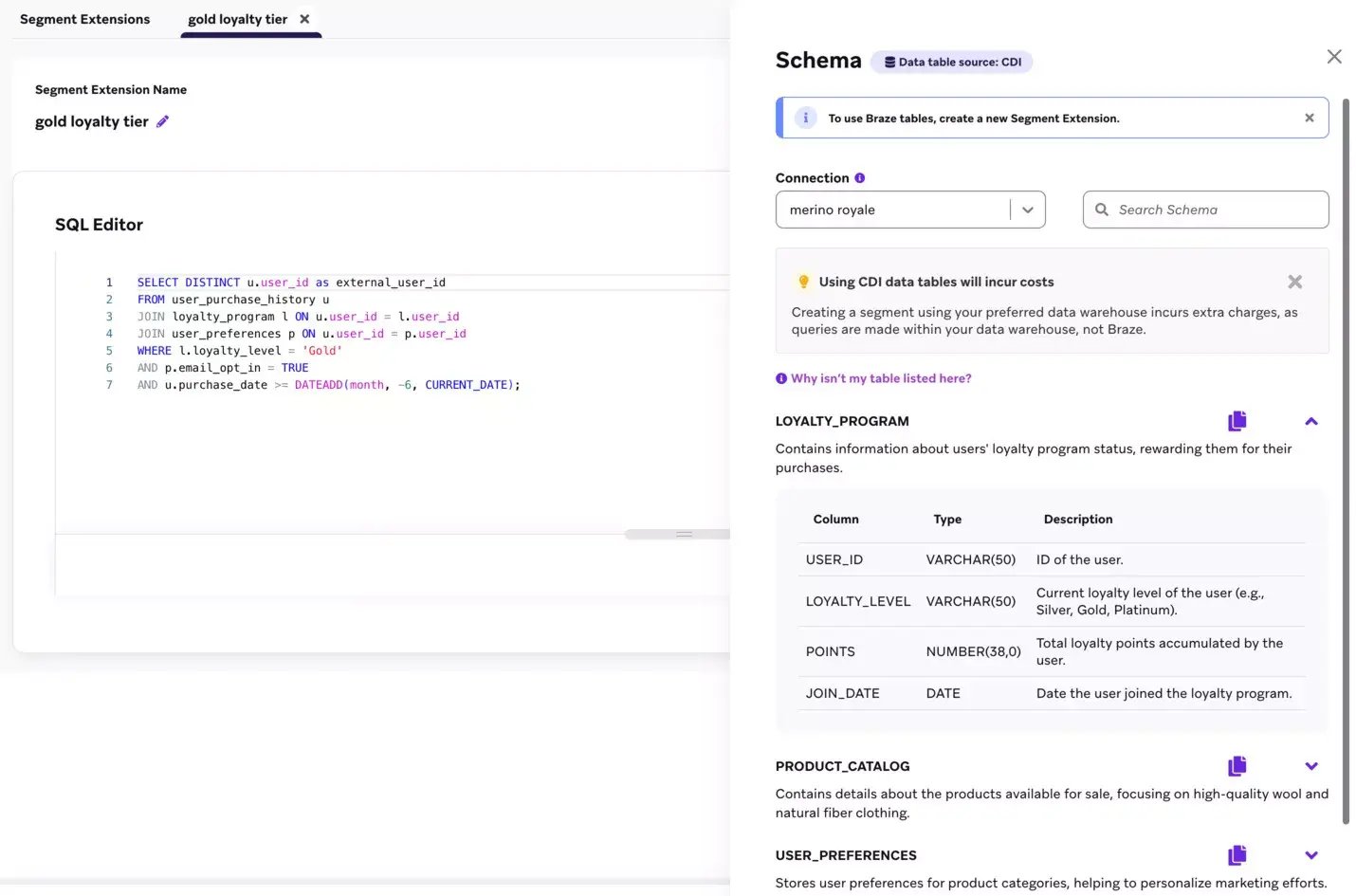
Example of CDI Segment Extension (Braze, 2026).
NOTE: Supported data warehouses: Snowflake, BigQuery, Redshift, Databricks, and Microsoft Fabric.
Zero-Copy Personalization via CDI
When a Canvas is triggered for a user, Braze can query your warehouse in real time, and the results are sent as Canvas entry properties, such as “item_1_name” and “cart_total.”
That data is used for personalization, Audience Paths, and logic in Decision Splits—and then it’s gone. It doesn’t exist outside that specific journey and isn’t written to the user profile.
This is the difference fromthe “write-everything-to-the-profile” model. The data is fresh and reflects what’s in the data warehouse at the time of the trigger.
Together, these two features in Braze help your team be more relevant, more efficient, and keep the system clean.
CDI stands for Braze Cloud Data Ingestion: https://www.braze.com/docs/user_guide/data/unification/cloud_ingestion
The online store“fisk&asfalt.se” runs an abandoned cart Canvas in Braze. The shopping cart data—such as products, current prices, and inventory status—is stored in Snowflake and changes continuously.
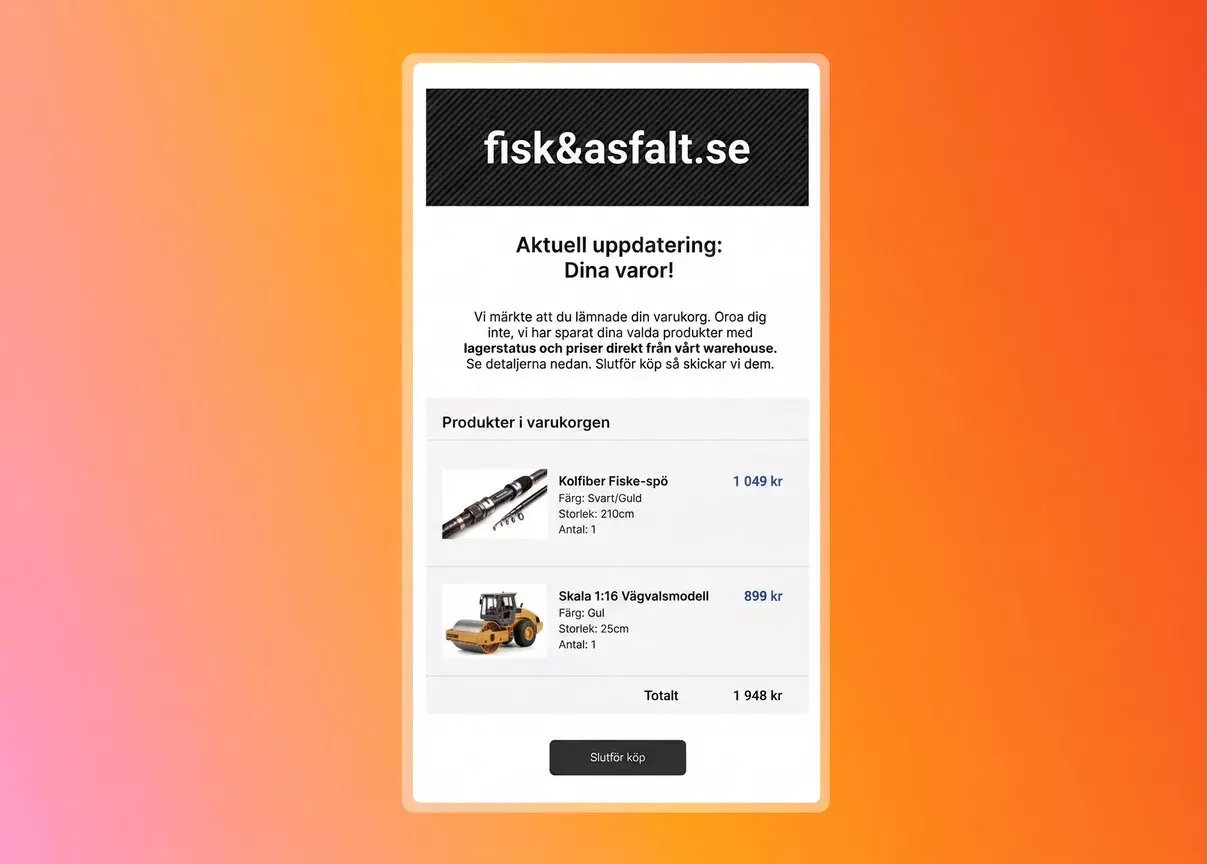
Here’s the difference.
The “old” way: A CDI sync writes shopping cart attributes to each user’s Braze profile every 15 minutes (at the fastest). If the price changes between the sync and the send, the communication from the Canvas displays outdated information. The attributes on the profile are also stored indefinitely unless they are overwritten or cleaned up.
If we instead use a trigger-driven approach with Zero-copy:
When a user abandons their shopping cart, a row is written to the CDI table for Canvas triggers. That row determines who should be included in the Canvas. This means you don’t need to create a separate segment in Braze just to capture those specific users.
The same trigger also sends the current details about that specific user’s shopping cart, such as products, prices, and inventory status.
That information can then be used in the Canvas’s messages and logic. What is displayed to the user thus reflects what was actually in the warehouse at the time the trigger was fired.
None of this is written to the Braze profile!
Zero-copy isn’t the answer to all personalization problems. There are limitations.
Works well for:
Data that changes faster than a 15-minute sync can keep up with.
Personalization fields that are only relevant to a specific trigger event
Sensitive data or data that should not be recreated outside the data warehouse
Reducing the consumption of data points in cases where the information does not need to be saved.
Teams that want cleaner and more easily understandable user profiles.
Not suitable for:
Real-time segmentation. CDI segment updates occur on a schedule, not in real time. If you need audiences that update within seconds, event-based Canvas entries are the right model, not CDI segments.
Cross-Canvas personalization. Context variables exist only within the Canvas in which they are created. You cannot reference them from another Canvas or from a campaign.
If the attributes might be needed for suppression, frequency capping, or the Global Control Group.
Consent and opt-in/opt-out. These must be present in the profile.
Who owns the service account and manages the rotation cycle for credentials?
CDI Connected Sources requires you to set up login credentials. These expire. If they are rotated without coordination, the integration may stop working without warning. If responsibility falls between teams, it’s usually only a matter of time before something breaks.
Which columns do you treat as “context-only,” and have you documented why?
If you don’t document which fields remain in the data warehouse instead of being written to Braze, the next person who takes over the setup will either wonder why the attribute is missing or add a sync that duplicates the same data.
If the query to the data warehouse fails at the time of the trigger, you need to decide what should happen.
Should the campaign be stopped? Should empty fields be displayed? Should there be a fallback? This must be decided before it goes live.
Are there data residency or contractual restrictions on what data is allowed to leave the data warehouse?
Zero-copy often sounds like the safe choice for data integrity. However, in the CDI Canvas trigger flow, the data still leaves the data warehouse at the moment of transmission. It’s just not saved in the profile. If the data is subject to a DPA or other restrictions, it’s therefore not enough to simply say that you don’t store it.
It’s easy to describe zero-copy personalization as a technical decision. But that’s not the whole story.
You’re shifting from a workflow where Braze also serves as a storage location for personalization data to one where your data warehouse plays a larger role. As a result, how well it functions becomes a major factor in the reliability of your communications from Braze.
If the same team isn’t handling both aspects from the start, collaboration between those of you working in Braze and the team maintaining the more technical aspects becomes even more important.
That’s why teams that succeed in working “zero-copy” don’t jump straight into implementation. They start with the workflow.
Do you have questions about zero-copy or how to move forward with your marketing automation efforts? Don’t hesitate to contact us—we’re here to help!